Why use WhoIsConnected Logger?
The active connection list shows what WhoIsConnected detects now. Applications can close connections and establish new ones, sometimes using another IP in the same network range or a different network altogether.
Some connections exist only briefly and may disappear before you notice them. Logger helps reveal changing activity by keeping a history of connection changes detected when WhoIsConnected refreshes.
Important: Logger Is Refresh-Based
Logger does not continuously capture every network packet or connection. New data is collected when you press REFRESH or when automatic refresh runs.
Automatic refresh is available at 2-minute and 10-minute intervals. You can press REFRESH manually at any time and as often as needed while investigating an application.
A connection that starts and closes entirely between two refreshes may not be discovered. More frequent refreshing gives you a better opportunity to observe short-lived activity.
How can I use Logger?
Logger is useful before and after taking network-control actions. For example, after using application Block or Block All, continue using the computer normally and review Logger. You can observe which connections close, which new connections are detected, and how the application's network activity changes.
If an application closes or a function stops working after network access is restricted, that is useful information to investigate. The observation can indicate a dependency on network communication, but by itself does not establish the exact reason.
Reducing network communication that you do not need can reduce exposure and give you greater control over security and privacy. The objective is not to eliminate all connections, but to understand and allow the communications you actually want.
Logger Information
| Information | Meaning |
|---|---|
| Application / PID | The application and process associated with the detected connection. |
| Remote IP / Network | The remote destination and network information. |
| Start | When the connection was first detected. |
| Duration | How long the observed connection remained present. |
| Status | INITIAL, NEW or CLOSED according to refresh-based observation. |
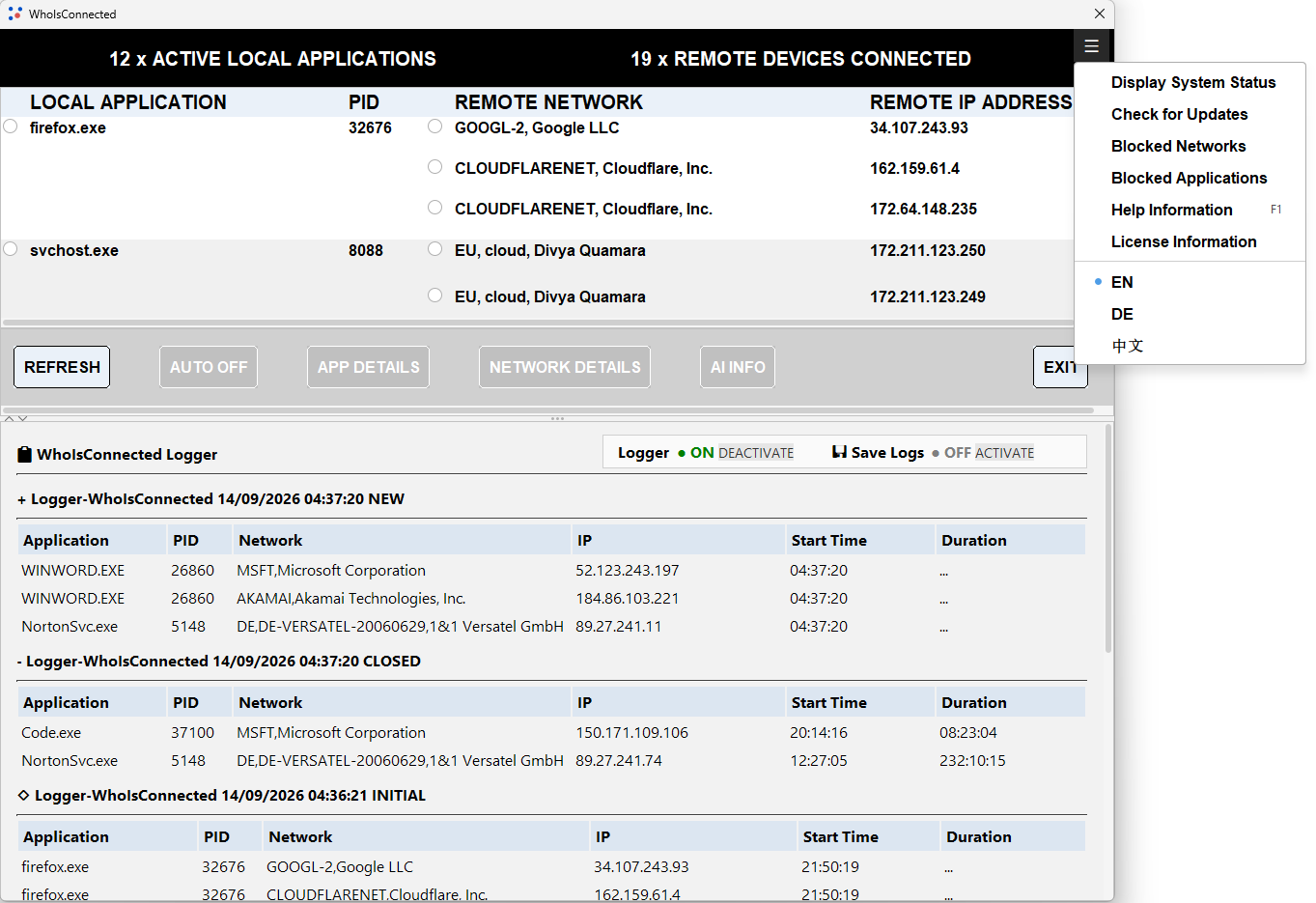
Understanding INITIAL, NEW and CLOSED
INITIAL represents connections present when Logger establishes its initial view. NEW represents connections newly detected on a later refresh. CLOSED represents connections that were previously observed but are no longer detected.